Pickling in Python can be dangerous.
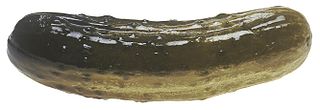

That’s where Quickle comes in — as long as you’re using Python 3.8 or later…

Pickling in Python can be dangerous.
That’s where Quickle comes in — as long as you’re using Python 3.8 or later…
There’s few things I like more in our field than the opportunity to make a really nice image of a protein structure. Don’t judge me, but I’ve been known to spend the occasional evening in front of the TV with a cup of tea and PyMOL open in front of me! I’ve presented on the subject at a couple of our research group retreats, and have wanted to type it up into a blog post for a while – and this is the last opportunity I will have, since I will be leaving in just a few weeks time, after nearly eight years (!) as an OPIGlet. So, here goes – my tips and tricks for making pretty pictures with PyMOL!

Ray Tracing
set ray_trace_mode, number
I always ray trace my images to make them higher quality. It can take a while for large proteins, but it’s always worth it! My favourite setting is 1, but 3 can be fun to make things a bit more cartoon-ish.
You can also improve the quality of the image by increasing the ‘surface_quality’ and ‘cartoon_sampling’ settings.
Last Wednesday, I was fortunate enough to be invited as a guest lecturer to the 3rd BioDataScience101 workshop, an initiative spearheaded by Paolo Marcatili, Professor of Bioinformatics at the Technical University of Denmark (DTU). This session, on amino acid sequence analysis applied to both proteomics and antibody drug discovery, was designed and organised by OPIG’s very own Tobias Olsen.
Continue readingIf you haven’t checked out Matt’s post on using OBS for recording video, I highly recommend doing so. OBS is a terrific way to present your work online. It can provide (amongst many, many other things) the ability to create live picture-in-picture scenes, so you can move through your powerpoint deck whilst overlaying video of your tiny talking head in the corner.
Continuing on from Matt’s post, I’d like to promote the OBS virtual camera plugin and Touch Portal.
Every company, department or course has its own favourite video conferencing application and whilst they all have their strengths, consistency is not one of them. If you want to consistently display your presentation and your live video regardless of the platform in use, this quickly gets into the “messy” territory. This is where the virtual camera comes in.
Have you ever read a paper just because it had a funny, endearing, or utterly bizarre graphical abstract? Ever since a colleague showed me the ‘Graphical abstracts that I gone and found’ Facebook page, I have definitely come across a few, and I thought I would share some of my favourite ones below. If you enjoy this kind of thing, I strongly suggest visiting their page for more – it makes for a wonderful distraction from pretty much anything. Continue reading
Decades later, we owe Warren DeLano and his commitment to open source a great debt. Warren wrote PyMOL, an amazingly powerful and popular molecular visualization tool, but it has many hidden talents.
Perhaps its greatest strength is the use of the open source language, Python, as its control language.
Continue readingIf there is some set of keystrokes that you find yourself using day in, day out, you can almost certainly write something that can automate the process. This could be something simple that could be achieved by putting a bash alias somewhere in your ~/.bashrc:
Given this is my first ever attempt at a blog post, let alone one on such a highly regarded platform I feel it’s proper that I introduce myself. Hi, my name is Maranga, I am a second-year SABS student starting my DPhil project in Small molecules, and honestly, I really don’t like reading. Especially, scientific journals. Now I can appreciate this does not bode well given my chosen career path, however, my aversion for reading is not new (shoutout to Biff, Chip and Kipper) and hopefully not permanent.
Continue readingThe command nohup (stands for “No hang up”) allows your script to run even if you quit the terminal. It can be very useful, especially if your terminal has been opened through ssh and you have a dodgy connection. It can be used as follows:
nohup python my_script.py > log.out &
nohup will automatically append the output from your script to a file named nohup.out. By adding the > log.out part of the command you can save the output to a different file of your choice.
I recently completed an internship during which I spent a considerable amount of time doing software engineering. One of my main take-aways from this experience was that in industry, a lot more attention is spent on ensuring that code committed to a GitHub repo is clean and bug-free.
This is achieved through several means like code review (get other people to read your code), test-driven development (make sure your code works as you are adding functionality) or paired development (have two people work together on the same piece of code). Here, I will instead focus on a useful tool that is easy to integrate into your existing git workflow: Pre-commit hooks.
Continue reading